Create, reply to, and resolve your first ticket
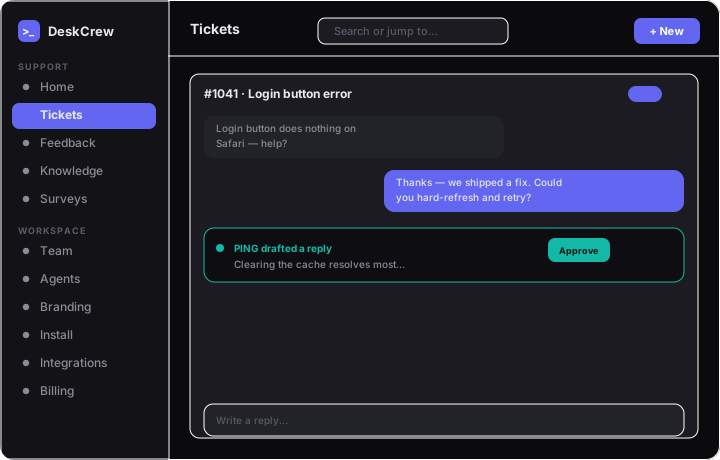
Tickets arrive from your chat widget, inbound email, or a connected channel and appear under Tickets (/dashboard/tickets). Click one to open its thread.
Tickets move through four statuses: active, pending, snoozed, and closed.
Reply to a ticket
- Type in the reply composer.
- Click Send reply (or press
Cmd/Ctrl+Enter).
Tip: If you sent a reply within the last 10 minutes, you can Retract it from the thread.
Handle agent drafts
If an AI agent or the auto-responder proposed something, it shows under Pending agent drafts. Review it, then:
- Approve & send: for a draft reply.
- Approve & resolve: for a resolution proposal.
- You can also Edit or Reject.
Note: Nothing reaches the customer until a human approves.
Resolve and reopen
A resolution proposal closes the ticket on approval. A closed ticket shows a Reopen ticket button if the conversation isn't actually done.