
Letting AI draft replies (auto-responder and Ask-AI)
When enabled, DeskCrew's AI assistant answers your customers in two places. Instantly in the chat widget, and as draft replies to inbound tickets. Grounded only in your published knowledge base. It answers from your real docs and escalates to a human when it is not confident.
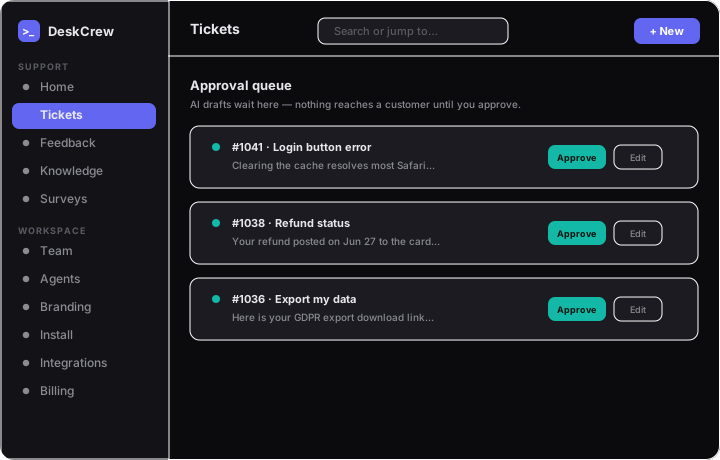
Where the AI shows up
- Chat widget: visitors get instant answers from your knowledge base, with citations. Greetings and questions like "are you a bot?" get a friendly conversational reply.
- Auto-responder: new tickets (including inbound email) get a suggested draft reply.
- Ask-AI: the same grounding powers Ask-AI in the widget's help center.
Turning it on
One switch controls all of it: Dashboard → Branding → "AI assistant (chatbot + drafts)". You can also press ⌘K and type "AI assistant" to jump straight there. Only an admin can change it.
How drafts are reviewed
- A draft lands in an approval queue.
- A human reviews it.
- The human sends it.
Nothing is ever sent to a customer automatically.
Tip: The clearer and more specific your KB articles, the better every answer gets. The assistant picks up new articles immediately, with no retraining step.