
Set widget allowed origins (and why)
The widget launcher will render anywhere you drop the <script> tag, but it only accepts submissions (chat messages, feedback, votes) from domains you explicitly list as Allowed Origins.
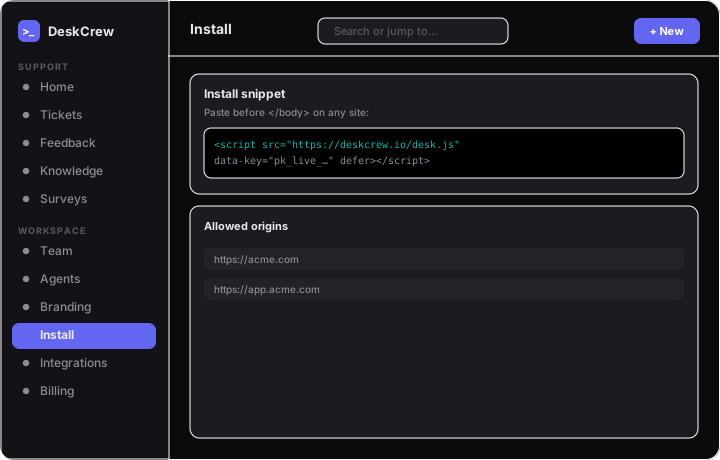
Manage your allowed origins
- Go to Settings → Install in the dashboard.
- Add each full origin, like
https://example.com. - Remove any you no longer use.
Why this matters
Your data-key is public and origin-locked: anyone can read it from your page source, so the allowlist is what stops another site from posting to your desk with your key.
Tip: If your widget loads but submitting fails, the posting domain is almost certainly missing from Allowed Origins. Add it there.
You can also rotate the widget key from the same page if it is ever misused.
- The DeskCrew Install page, setting by setting
- Install DeskCrew with an official package (Next.js, Remix, Vue, SvelteKit, Angular, VitePress, Astro, Nuxt, Docusaurus, Eleventy, Gatsby, Rails, Jekyll, Django, Laravel, Hugo)
- Embed the feedback board + a What's-new widget in your site
- Install DeskCrew on WordPress & WooCommerce