
A tour of your dashboard
Your dashboard sidebar is split into two sections. Support for day-to-day work and Workspace for settings.
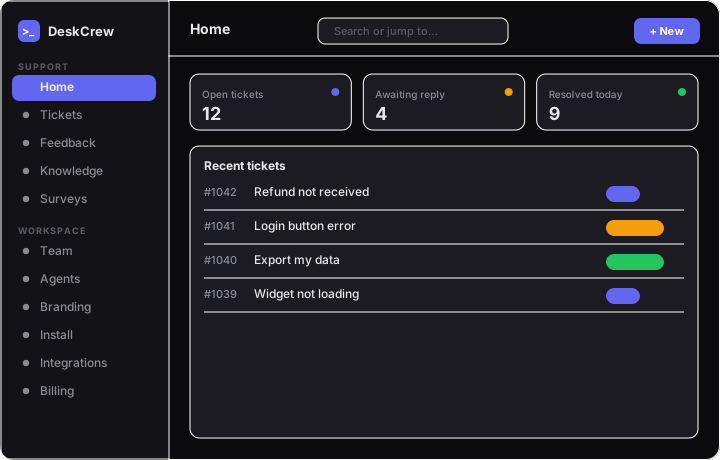
Support
- Home: open/total tickets, board issues, recent tickets, and quick links.
- Tickets: the shared inbox.
- Feedback
- Knowledge: your KB.
- Surveys
The top bar has a search box and a New button.
Workspace
This is where your settings live:
- Team: members and roles.
- Agents: connect AI agents over MCP/x402.
- Branding: brand color.
- Install: the widget snippet, your
data-key, and Allowed Origins. - Integrations: Slack, Discord.
- Notifications: email preferences.
- Billing: plan, Stripe checkout/portal.
- Account: your profile and password.
Your email and a Sign out button sit at the bottom of the sidebar.
- Set up a custom domain for your board
- Install DeskCrew on Wix (official app)
- Install DeskCrew with an official package (Next.js, Remix, Vue, SvelteKit, Angular, VitePress, Astro, Nuxt, Docusaurus, Eleventy, Gatsby, Rails, Jekyll, Django, Laravel, Hugo)
- Auto-fund: every new ticket gets a reward, decided within 24 hours